Showing posts with label transmitter. Show all posts

Saturday, December 14, 2013

Like New Wattson for 15 EUR :-)

You won't believe it but I just got a recent, like new, Wattson Energy Monitor for only 15 EUR ...

It is a recent version, because it can tell time, meaning it has the Clock feature and can then be flashed with the newest firmware, if necessary


Complete and very clean, even the battery blister has not been touched, neither the wall power supply cord; it has its cord still folded neatly


Paired with my home transmitter


it displays Usage here

That was a very good deal :-)

Saturday, December 7, 2013

DIY ESS - Pairing a Second Transmitter on a Wattson

I thought about this maybe a year ago and was not sure it could be done until I read more about Wattson and its capabilities: It can get signals from up to 10 (!) Transmitters

The idea here is to send Generation Power from different locations:
- First, the generation info from the Solar Installation
- Second, the DIY ESS - Energy Storage System - output generation
These two add up automatically as long as they are paired to the same Wattson display unit... => Cool !


On the pictures, you recognize the white Wattson that is already paired to my Solar Installation + ESS (off at this moment)
To be able to compare values, I brought the Silver Wattson upstairs;  It is showing Solar generation only
After pairing the second Transmitter you can see on the floor here, and plugging in a clamp/CT into the generation inlet of the Transmitter, this new "Generation" adds up to the Solar Generation, meaning we can now have a clamp + additional Transmitter directly in the DIY ESS to measure the ESS only Generation and no additional outlet to install in the Solar sub-panel / junction box - like I did with my Solar contractor -


Using Generation inlet only

For testing purpose here I am measuring a small load from few lamps - LED of course -, from my home made Easyfit Y Cable from few weeks ago

On the left, the white Wattson adds up the 2 Generation signals it receives from the 2 Transmitters,  and on the right, the Silver Wattson displays the Solar Generation only

Sunday, November 10, 2013

Testing Wattson Transmitter to make it work for the US & Canada Split Phase Consumer Units

Last night and continuing today, I am in the process of testing Wattson transmitter capabilities to adapt to US and Canada Split Phase Consumer Units ...

Energeno is in still (?) waiting for UL Listing in the US, and other certifications I think, and their great Energy Monitor Wattson is coming to this new market soon

But in the meantime, I wanted to investigate and see for myself if I could make it works without waiting

Problems:
- With the Split Phase system in the US and Canada, consumer units have 2 hot wires carrying the 2 phases, split into 2 "legs", a left and right side column of breakers in the consumer unit; They have 2 sets of breakers bringing 120V AC fed by 2 different lines 
- Solar systems feed their Generated electricity to 240V directly 


What should be done to make it work:
- We have to measure the current passing through both "legs" and add these 2 to get total current, multiply it by 120V to get the Usage in Watts
- To measure 240V Generation at the output of the Solar Grid Tie Inverter, we need to measure one leg only


Findings: 
- If I plug a CT / Current sensor in socket 1 (normal usage set up), and another one in socket 2 of the transmitter, these 2 readings add up (perfect to measure both legs of a 120V consumer unit)
- Adding another CT / Current Sensor on the Production leg, and plugging it in the "Sun" socket, the Net Usage displayed on Wattson is 1 + 2 - Sun 

... to be continued ...


Before that, I opened the Transmitter to see how it is made, and measure some contacts


Wednesday, October 16, 2013

2 More Wattson arrive from the UK ... Again ??!!

Sorry, I got 2 Wattson from UK again ... It must be a kind of disease :-)

Actually there should have been another one coming at the beginning of september and it looks like it has been "lost" in transit - great, 70 EUR wasted ...- 

These ones were not that expensive, I got them in the last seconds of their auction each time ...

1st Wattson


Old screw version Transmitter, but with a 9V DC Input - no lid, where did it go ? -

This one must have been in a kitchen for years because it was kind sticky ... I had to clean it up myself with alcohol ... I would never ship something like this - incredible - 


Now it is clean and you can not tell the difference 
Pairing it with the Transmitter


2nd Wattson

Got it cheap too, but in much better condition: Bow, manuals, everything is CLEAN !


Old version of the Transmitter, Red antenna, screws, no DC 9V input


Everything has been re-boxed like new, that's more like I would do

After finding 2 UK to EU power adapters, we are ready to go

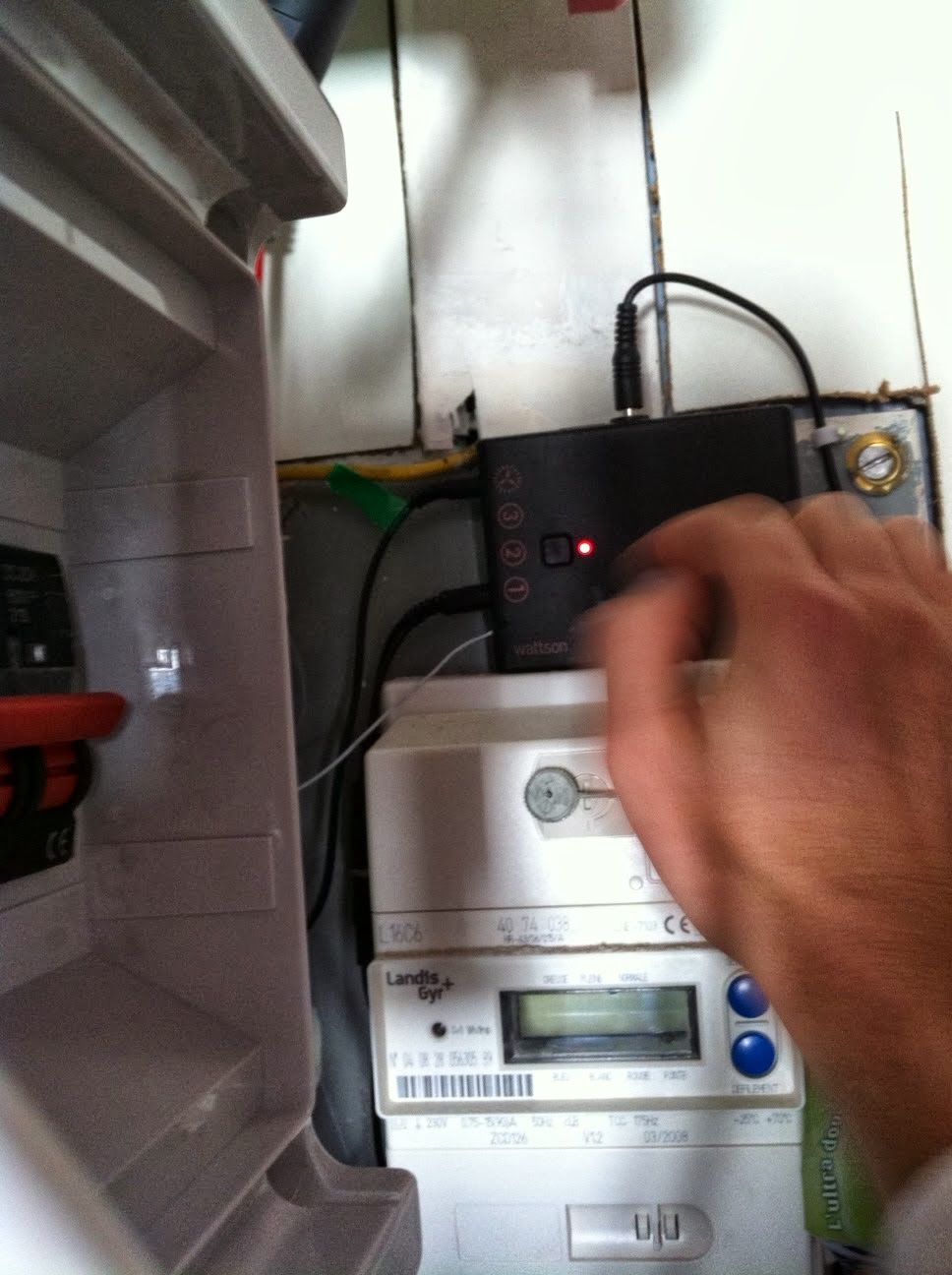
The 2 simple actions to pair a new - or used actually - Wattson unit: Depress the Transmitter button for few seconds until the red LED is solid, ...


... then you have 60s to go to the Wattson unit(s) and depress its pushbutton too, or insert a pin in the middle top hole and depress, until it says "PAIRING SUCCESSFULL"


Now that they are paired with the Transmitter, they display Usage or Used Power

This one in the back, the dirty one, had a really flat battery pack, it would not display anything until it was charged - strange ?? -


DIY Kyoto Ltd


There it is, displaying  the Usage

After plugging them in my Mac, and launching Holmes2, I enabled their Generated Power logging, so now they can display GENERATED POWER and NET POWER too;

Back view with the COLORS and NUMBERS mode: These are old units because they glow orange when the Net Usage is Negative, meaning Generation > Usage 


After, I brought down the Silver one and arranged them like this for few days: 
LEFT : Usage
RIGHT : Generation (= Solar + ESS)
TOP : Net Usage (Usage - Generation) 


Saturday, August 31, 2013

3rd Wattson arrives - Set up and Display

I just got my 3rd Wattson in the mail :-)
Another one, what for ? Well, at 40 EUR, 1/3rd of its value, I could not resist and get it ...


Here it is:
It is a UK version, because there is a UK to European plug adaptor
The transmitter has some splashes of what looks like renovation work, cleaned with a wet cloth
Transmitter batteries show sign of leakage, read 0.15V and one is negative, but it does not matter to me really, they will go to recycle right away

I plug it in right away and it does not read anything, which is normal since it is paired with this transmitter; I push a pin through the middle top hole of the display unit, put my home transmitter in pairing mode (pushing its button for 10 seconds), and it shows 'PAIRING', and few seconds later displays my home Usage ... Easy :-)


I tilt it, and it shows the Money / Spending in GBP, original unchanged settings from the factory; It does not show GENERATION, or NET USAGE, because this option has to be changed in the settings, through the Holmes Software (free download on Energeno / ex DiyKyoto website)

But for now, I just bring it downstairs to place it on the left with the others, so we now have from left to right: Usage, Generation (Solar & ESS), and Net Usage ( = Usage - Generation)

Interesting, isn't it ? Here are a few shots of this new set up while the Solar panels are still producing at bit in the evening


After a while, I turn on my netbook to change the 3rd Wattson settings


Holmes software loading


Drivers installing by themselves


Communication with the Wattson display unit is ready to work

Holmes proposes to download the 28 days of latest Wattson usage records held in its memory, but I skip that part


Now in the Settings / Options tab, I check 'Enable generated logging': by doing this, the display unit will offer the GENERATION & NET USAGE to be displayed

Save & Apply, and that's it


Now if I tilt Wattson, I get the GENERATION

and NET USAGE


Please Share this Post if you Liked it !

Please Share this Post if you Liked it ! Thanks !
Related Posts Plugin for WordPress, Blogger...